How to comment on an unverified assumption in an AI-written PR
Find the assumption, tie it to the affected code, and ask for evidence or a change the author can act on.
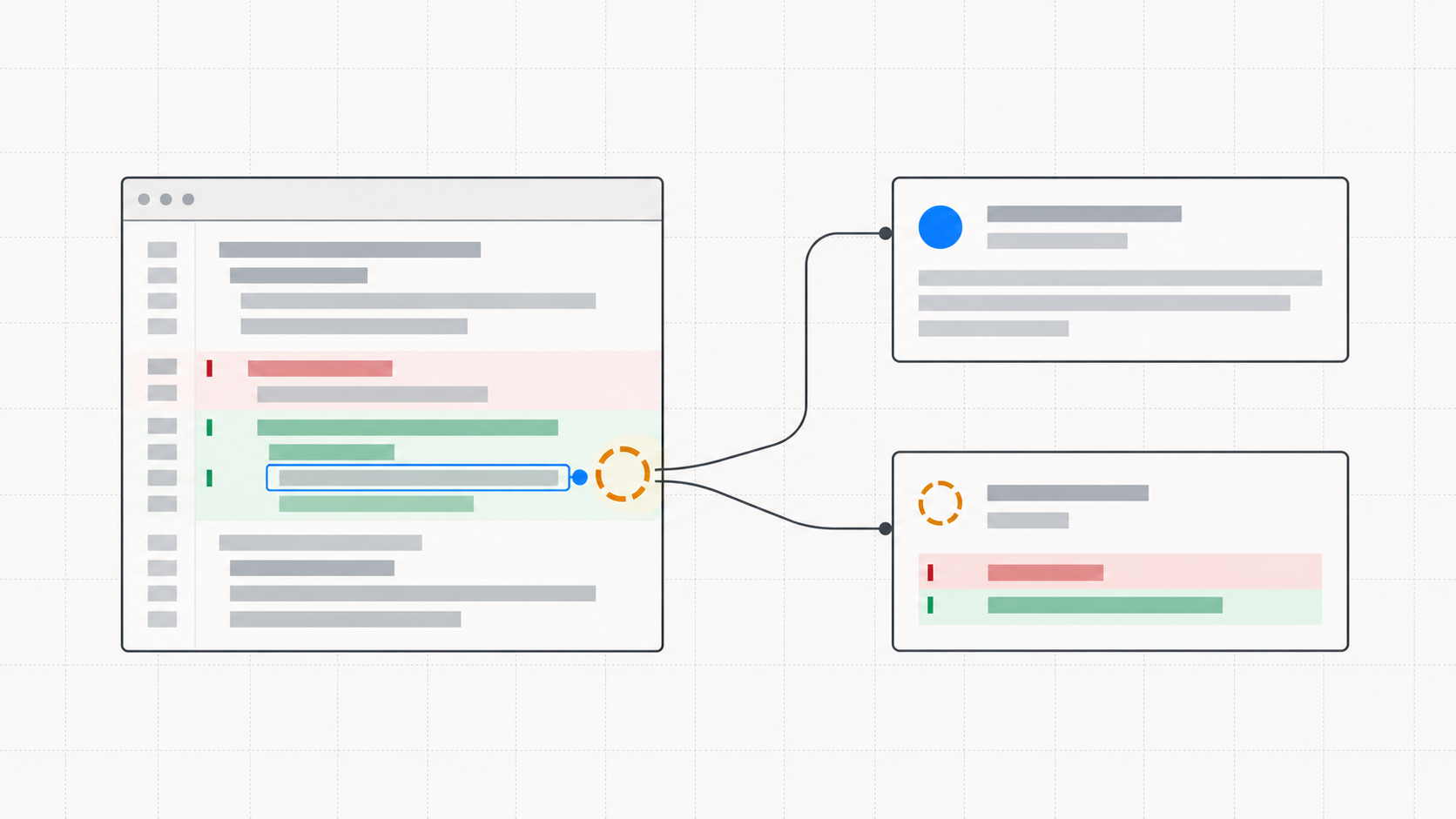
An AI-written pull request can explain every changed line and still depend on a guess. Your job as a reviewer is to find the guess that matters, connect it to the code, and ask for a checkable answer. A comment such as “Are you sure?” gives the author almost nothing to work with.
Useful code review comments name the assumption, say what breaks if it is wrong, and request one piece of evidence or one change. That is especially important in AI code review, where a fluent explanation can make an untested premise sound settled.
Start with the assumption, not the wording
In Review Assist, the Intent Document records each assumption with its impact if wrong, how to verify it, and a confidence value: confirmed_by_user, grounded_in_code, or unverified. Read the unverified items first. A settled assumption can still be challenged if the code contradicts it, but an unverified one is the explicit place to spend review time.
The Overview shows assumptions about the change as a whole. An assumption anchored to a diff hunk appears at its walkthrough stop, beside the code it bears on. The same stop can also show an unanswered question or a path listed under Never exercised. Read those together before deciding what to ask. If the document has an unexplained hunk, ask for the missing reason first; there may be no reliable assumption to evaluate yet.
Write a question the author can close
Suppose a PR adds a 60-second session cache. Its document says logout deletes the cached entry, but that claim is unverified. A useful comment would be:
- •Change: The new cache can return a session after the underlying session has changed.
- •Risk: If logout misses the cache entry, the old token may still work until the entry expires.
- •Ask: Can you show a test that logs out and retries the same token before the TTL expires, or add one? If invalidation is guaranteed somewhere else, point to that path.
That example asks about a specific behavior, not whether the author feels confident. The response can be a test, a code change, or a trace to an existing guarantee. If the behavior cannot be verified yet, record the gap honestly in verification.not_verified and decide whether the risk is acceptable for this PR.
Choose the comment location
Use a line or range comment when the question turns on one implementation choice. In the guided diff, select the changed lines or open the comment control on a line, then post the question there. The viewer sends that comment to GitHub against the current PR head, so the author and later reviewers can read it next to the code.
Use the PR discussion when the assumption spans several files or concerns the whole change. Review Assist’s Flag for discussion control opens a draft comment with the assumption ID and text. Add the risk and the evidence you need, then click Post to PR. Flagging alone does not post the comment. Accept opens a draft as well, so explain why you accept the premise if that decision would otherwise be hard to reconstruct.
A useful PR comment gives the author a location, a consequence, and a way to resolve the thread. Avoid copying the entire Intent Document into the comment; link the question to the code or the one assumption that matters.
Make the review decision explicit
After the tour, Review Assist offers Approve or Request changes. Its draft review body includes the coverage count and IDs you flagged, but it does not turn a flagged assumption into a verdict for you. Write the actual condition for approval in the review body. For the cache example, that could be a logout invalidation test or a documented reason the old token cannot be reused.
If the author pushes a fix, read the new diff and the updated evidence before resolving the discussion. The useful question is whether the assumption is now grounded, not whether the comment has been answered with a reassuring sentence. The Intent Document specification defines the assumption and verification fields; install Review Assist to use them in a guided PR review.
Review AI-written code with its intent intact
Review Assist is free, open source, and stores none of your code.
Install Review Assist